
RETRONIC / HELPER
Retronic Helper
StatusActive
Last update
Retronic bot and helper with Cavebot, targeting, healing and hotkeys for GL and DX clients.
Download DakosApp Launcher from My Account to install and use your helper.
Show / hide the helperShift + F11Press in the game window.
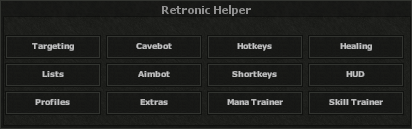
INSIDE THE HELPER
Features
Expand a feature to explore its controls and screenshots.
Missing a feature? Suggest an improvement
Tell us what you would like this helper to do.
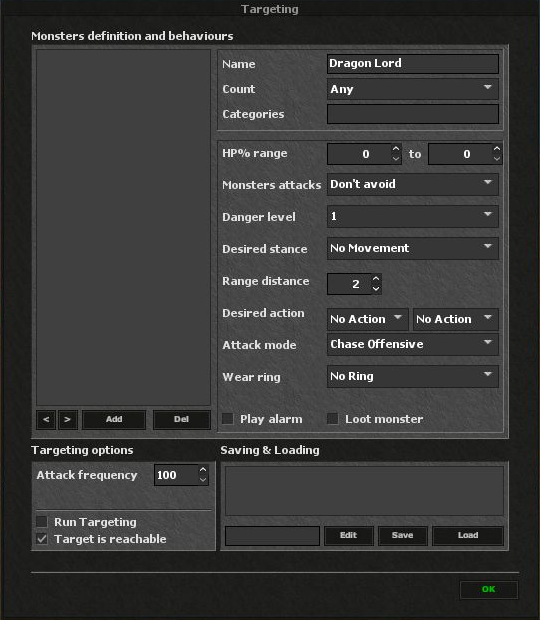
TargetingClick to expandClick to collapse
Define which monsters to attack, how to approach them, and which actions or loot rules to use.
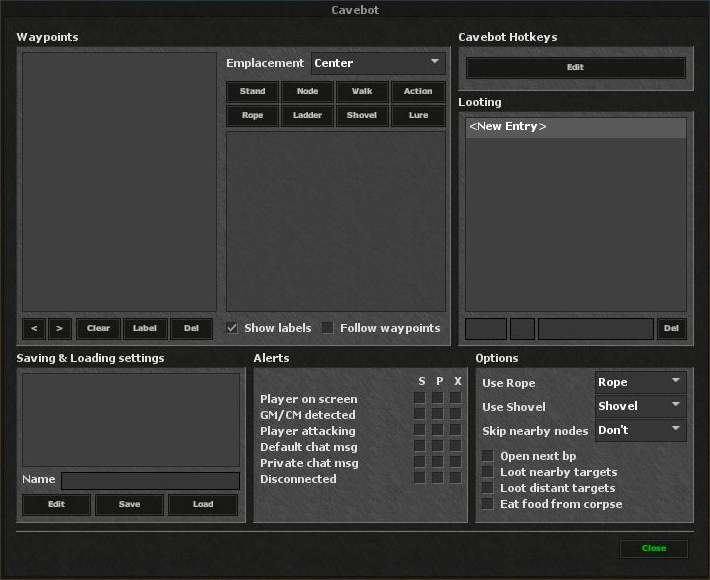
CavebotClick to expandClick to collapse
Create waypoint routes and configure route actions, looting, alerts and movement behavior.
HotkeysClick to expandClick to collapse
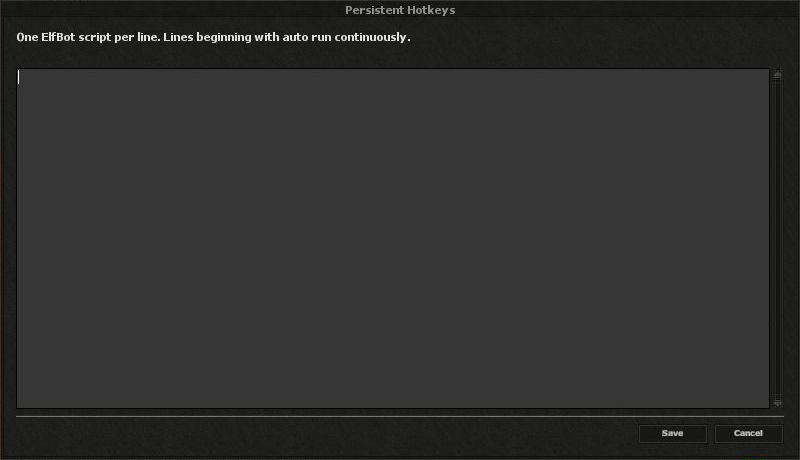
Assign keys to scripts and manage recurring scripts in the separate Persistent editor.
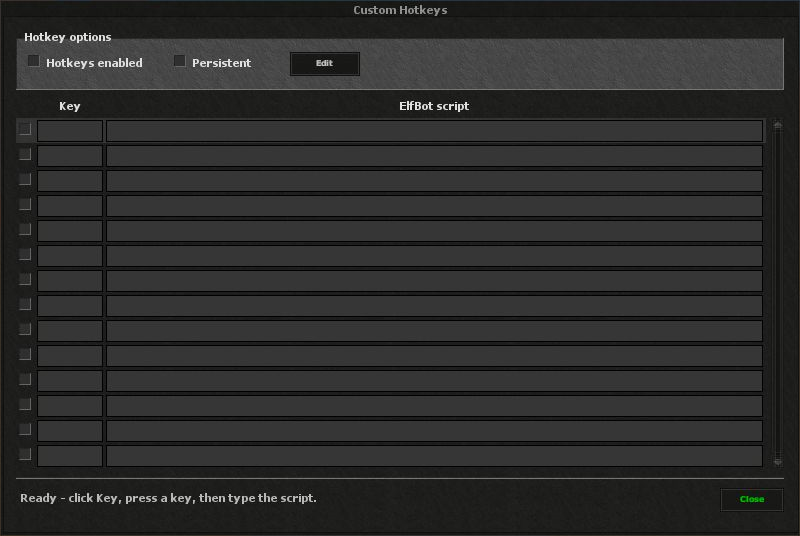
Custom Hotkeys
Choose a key, enter its script and enable individual rows. The main switch controls Hotkeys as a whole.
Persistent Hotkeys
Open Edit beside Persistent to manage automatic script lines. Lines beginning with auto repeat at their configured interval.
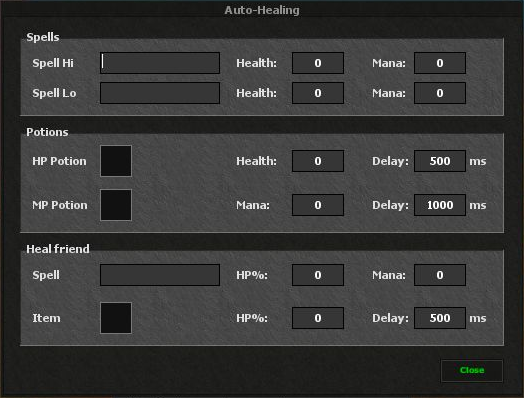
HealingClick to expandClick to collapse
Set spell and potion thresholds, delays, and healing rules for yourself or a friend.
ListsClick to expandClick to collapse
Organize players into enemy, friend, subenemy and subfriend lists for targeting and display rules.
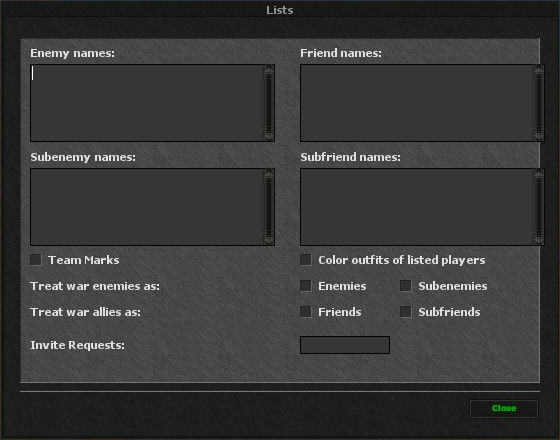
Player lists
Enter player names in the four lists and choose how war enemies and allies are classified.
Display & invitations
Configure team marks, outfit colors for listed players and invite requests.
AimbotClick to expandClick to collapse
Configure target selection, leader aiming, combo timing and filters for listed players.
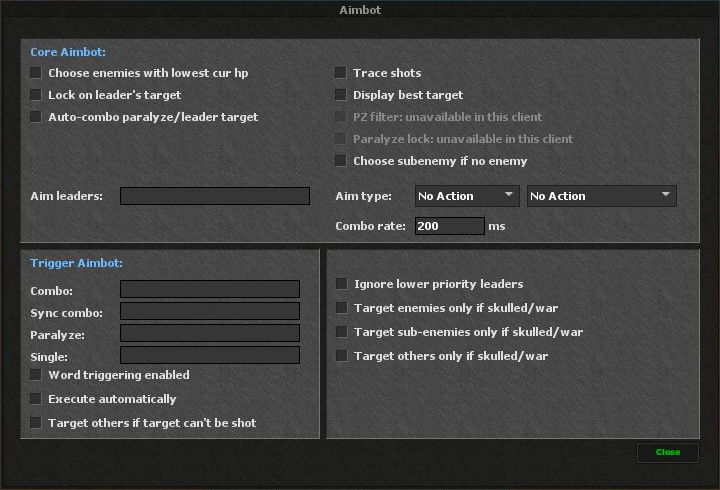
Aim & combo
Choose an aim type and leader, configure combo leaders, timing and trigger words, and use the available target-selection options.
Client support
Controls marked unavailable are disabled in this client. Configure only the options that are enabled in the panel.
ShortkeysClick to expandClick to collapse
Pair named chat commands with reusable scripts and enable each shortcut independently.
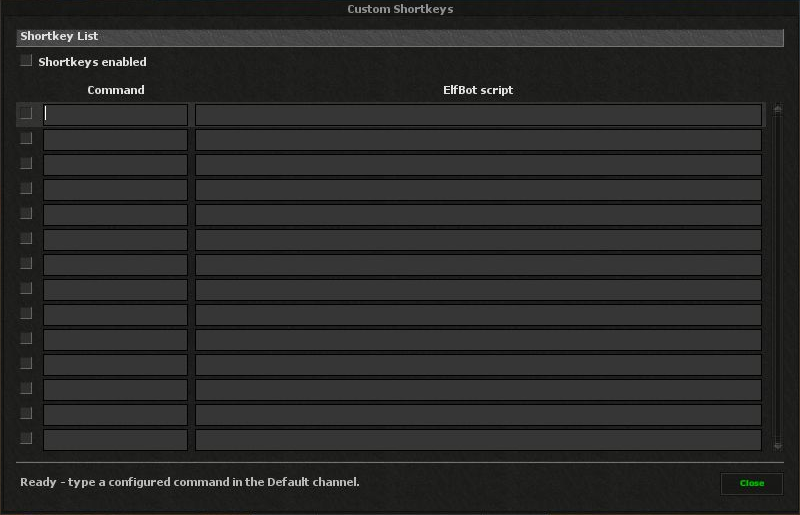
Command & script
Each row contains a command trigger and the script it should run. Use the row checkbox to enable or disable it.
Shortkeys enabled
Use the main switch to control all Shortkeys together without removing their entries.
HUDClick to expandClick to collapse
Choose which player details, timers and helper statistics appear on screen.
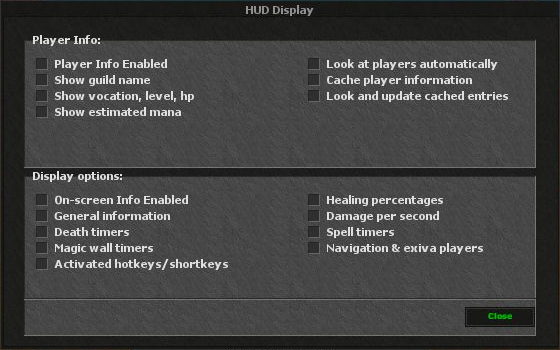
Player information
Choose player details such as vocation, level, health and mana for the information display.
Timers & statistics
Select the available spell and magic-wall timers, damage and healing statistics, and active hotkey information.
ProfilesClick to expandClick to collapse
Save complete named configurations and choose which feature settings a profile includes.
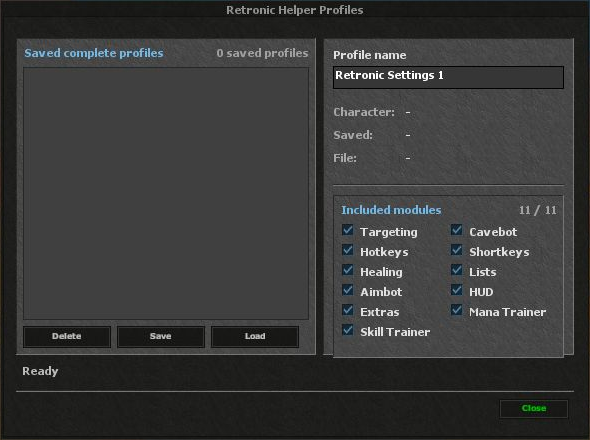
Save, load & delete
Name a profile, save the current configuration, select a saved entry to load it, or remove an entry you no longer need.
Included features
Choose from the eleven feature groups shown in the panel. Character, save time and file details identify the selected profile.
ExtrasClick to expandClick to collapse
Configure additional display, window and convenience options supported by the client.
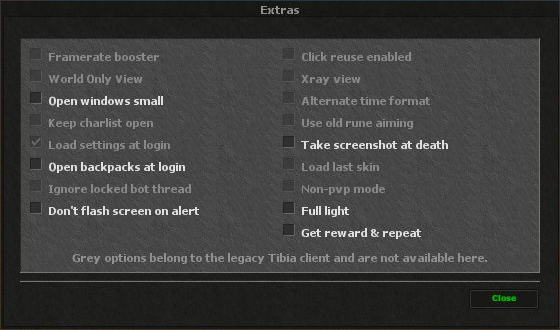
Window & display options
Choose helper window size, backpack behavior at login, death screenshots and the available full-light setting.
Available controls
The panel distinguishes usable options from disabled legacy controls. Unavailable options cannot be enabled here.
Mana TrainerClick to expandClick to collapse
Set mana thresholds and delays for training spells and mana items, with optional safety controls.
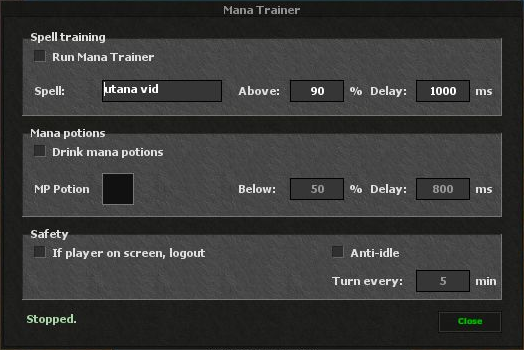
Training & mana items
Enter a training spell, choose the mana level required to cast it and set its delay. Configure a mana item, use threshold and delay separately.
Safety & anti-idle
Choose whether to stop by logging out when another player appears, and configure periodic anti-idle turns.
Skill TrainerClick to expandClick to collapse
Configure a training target, an HP stop condition and optional spear pickup.
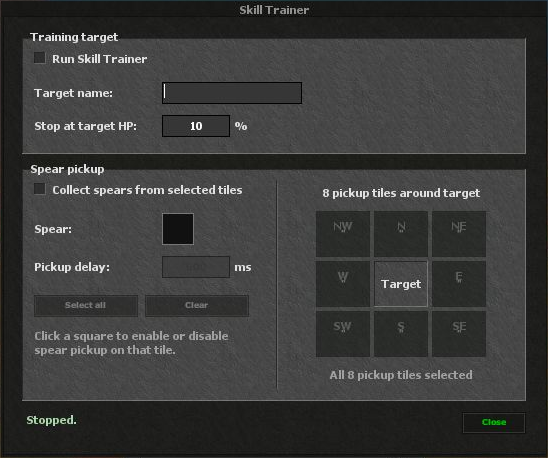
Training target
Choose the training target and the target-HP threshold at which training should stop.
Spear pickup
Select a spear item, choose nearby pickup directions and set the pickup delay.
LICENCE & UPDATES
Get Retronic Helper
Purchase access for your existing account or create one during checkout.